












Disney Dreamlight Valley review

Disney Dreamlight Valley Review: A Cozy Disney World That Keeps You Coming Back
Disney Dreamlight Valley is the kind of game that sneaks up on you. At first glance it looks like a cozy life sim wrapped in Disney fan service, but after a few sessions I realized it’s doing a lot more than collecting flowers and feeding critters. It blends questing, light crafting, gentle progression, and a steady drip of familiar faces into something that feels part farming game, part social adventure, and part nostalgia machine. As an experienced gamer, I went in expecting a relaxing distraction. What I found was a surprisingly sticky loop that kept pulling me back for “just one more” task, one more conversation, one more upgrade, one more biome.
The biggest strength of Disney Dreamlight Valley is how approachable it is. You don’t need an encyclopedia of systems to start enjoying it. The valley opens up gradually, and the game is smart about not overwhelming you with too many tasks at once. You can explore, talk to characters, clear obstacles, gather resources, and chip away at the main story at your own pace. That pace matters. This is not a game that wants to rush you, and honestly, that’s one of the reasons it works so well. It understands that comfort is the point.
A cozy loop that stays engaging
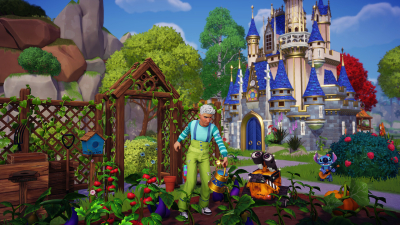
The core experience is built around routine, but not the boring kind. Each day brings a mix of small goals: harvest crops, collect materials, complete character quests, decorate areas, and unlock new sections of the valley. There’s always a reason to step outside your house and wander a little farther.
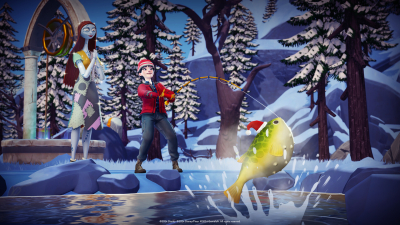
What impressed me most is how the game keeps layering systems without making them feel like chores. Mining and fishing feed into crafting. Friendship quests unlock new tools, recipes, and story beats. Decorating your home and the village gives you a real sense of ownership. The loop is simple, but it has enough texture to support a long play session without becoming stale too quickly.
There’s also a surprisingly strong “daily rhythm” to the game. You can log in for a short session and still feel like you’ve made progress, or you can sink hours into reorganizing pathways and optimizing your resource routes. That flexibility makes it easy to play casually while still rewarding people who want to dive deeper.
Disney charm without feeling overly shallow
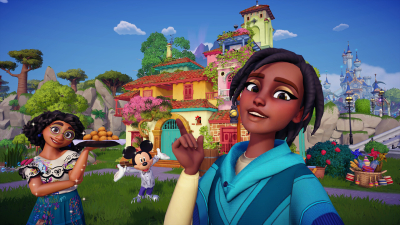
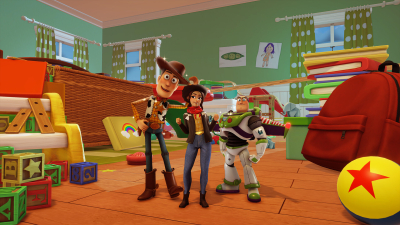
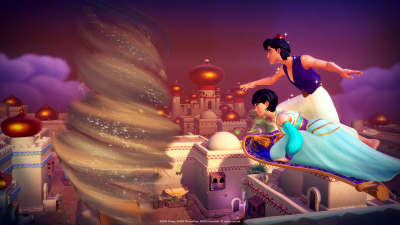
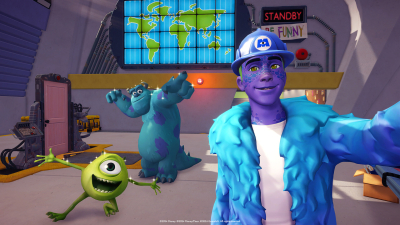
Let’s be honest: a lot of the appeal here comes from the characters, and the game knows it. Seeing familiar Disney and Pixar icons wandering around the valley should feel gimmicky, but the presentation gives them enough personality to make them stick. The writing leans cozy and friendly, and while it won’t win awards for sharp dialogue, it does a solid job of making each character feel like part of a larger community.
The best part is that the cast isn’t just decorative. Each character has quests, gifts, preferences, and progression tied to friendship. That turns them from simple fan-service cameos into actual anchors for the game’s structure. If you enjoy building relationships in life sims, this is a big part of the appeal. It’s not deep in a role-playing sense, but it is satisfying in that “I helped this world feel alive” kind of way.
Exploration has purpose
The valley is split into biomes that slowly open up as you gather Dreamlight and move through story objectives. This gives the game a nice sense of growth. You start small, then gradually expand your reach as the world becomes more useful and more beautiful. Each new area offers fresh materials, different environmental obstacles, and a stronger feeling of momentum.
It also helps that the art direction is bright and readable. Nothing here feels muddy or hard to parse. Even when you’re in the middle of a busy scene, the game keeps its visual clarity, which is important for a title that asks you to spend a lot of time moving around and interacting with menus.
Crafting, cooking, and house pride
Crafting in Disney Dreamlight Valley is one of those systems that sounds routine until you realize how much of the game revolves around it. You’ll gather resources, convert them into tools and furniture, and use those materials to shape your own version of the valley. Cooking is especially satisfying because the recipes tie directly into energy management, quests, and character likes.
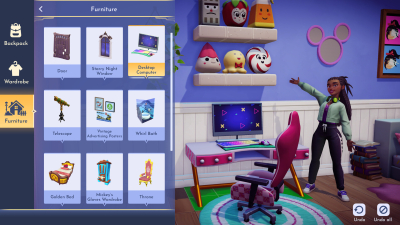
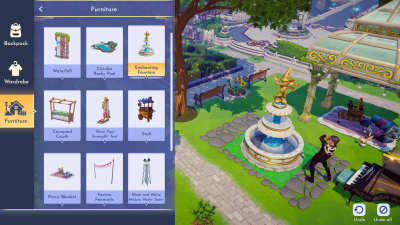
Your home is another major anchor. The more you expand and decorate it, the more the game starts to feel personal. I always appreciate life sims that give you a space that can evolve with your progress, and this one does that well. It doesn’t force you into a single aesthetic, either. Whether you want a tidy countryside look or a more whimsical Disney-inspired setup, there’s room to experiment.
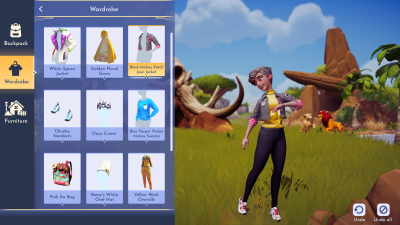
That said, the inventory and menu management can be a little cumbersome at times. The game asks you to juggle a lot of ingredients, crafting parts, clothing pieces, and quest items. It is functional, but not elegant. If you’re the kind of player who loves organization, you’ll probably adapt quickly. If not, expect a few moments of mild friction.
Progression is steady, not frantic
One of the reasons Disney Dreamlight Valley works is that it respects low-pressure play. There’s no need to grind aggressively just to keep up. Progress comes from a mix of exploration, friendship, and routine tasks, and the game rarely feels punishing. That makes it approachable for players who want something soothing rather than demanding.
At the same time, the game does know how to let slow systems work in its favor. You’ll often find yourself setting a goal for the evening, then getting sidetracked by a side objective, then discovering another path, then spending ten minutes rearranging your storage or outfit. That kind of wandering engagement is exactly what a good cozy game should create.
There are some live-service-like elements in the structure, and depending on how you feel about ongoing content plans, that can be a plus or a drawback. I enjoyed having a game that keeps expanding, but I also understand why some players prefer a complete standalone package. This is a game that is clearly designed to grow over time, which means the experience today may not be identical to the one it offers later.
Performance, design, and the practical stuff
On a technical level, Disney Dreamlight Valley is generally stable and easy to get into, though performance can vary by platform. The interface is straightforward once you learn where everything lives, and the game makes commendable efforts to guide you through its systems without turning every task into a lecture. It’s built for broad accessibility, which is a smart choice for a game with this kind of audience.
In terms of design philosophy, it feels very intentional. The game wants you to relax, collect, customize, and reconnect with classic characters in a world that’s constantly nudging you toward the next little reward. That’s not a bad thing. In fact, it’s exactly why it’s so effective.
If you come looking for intense combat, complex challenge, or a deep simulation with heavy consequences, this probably won’t be your game. But if you want a warm, polished world that rewards regular visits and gentle progress, Disney Dreamlight Valley delivers more than I expected.
Can you play free, and is it worth the download?
Yes, the game has been available as a free-to-play title in its release structure, although access models can change by platform or edition over time. For players deciding whether to download it, the real question is not whether it has depth — it does — but whether you enjoy cozy progression and character-driven tasks. If that sounds like your lane, it’s worth the install.
As for cheats and mods, the official stance is limited. The game is not built around cheat support, and mod use depends heavily on platform and community tools. On supported PC versions, mods may exist in the broader community, but they can affect stability and are not typically part of the intended experience. For most players, the base game is already packed enough without needing extras.
Final verdict
Disney Dreamlight Valley is a strong example of how to make a cozy game feel substantial. It combines familiar characters, gradual world expansion, and satisfying routine into a package that is easy to start and hard to put down. It does not reinvent the genre, but it does polish it in a way that feels thoughtful and highly readable for a broad audience.
From my time with it, the game stands out because it understands pacing. It gives you small wins constantly, and that steady stream of progress is what keeps the world interesting. Whether you want to play for thirty minutes or lose an entire evening to decorating and questing, the valley supports both styles well.
If you’re looking for a relaxed adventure with enough structure to keep you motivated, Disney Dreamlight Valley is an easy recommendation. It’s charming, competent, and surprisingly absorbing, especially if you enjoy games where the journey is less about beating a challenge and more about building a place you actually want to return to.
How to download Disney Dreamlight Valley
Availability & Launch: Disney Dreamlight Valley has been available as a digital download on major storefronts, and access may vary by edition or platform. It has been offered as a free experience in its launch structure, though some versions or content packs may differ.
Platforms: The game is available on PC, PlayStation, Xbox, Nintendo Switch, and specialized cloud-supported environments depending on region and edition. It is not natively available on mobile in the same way as its console and PC versions. If a device is unsupported, players may need cloud access rather than a direct install; emulator use is not officially required or recommended.
Install: To install, visit the official platform store, search for Disney Dreamlight Valley, download the client, and follow the on-screen setup steps. After installation, launch the game, sign in if prompted, and let any updates complete before playing.
System Requirements: On PC, keep a modern Windows system with a recent processor, 8 GB RAM or more, and a dedicated or capable integrated graphics card. Mac availability depends on current platform support and store access, while Android is not a standard native release target for this game.
Cheats / Mods: Official cheats are not a standard feature. Mods may exist on PC through community tools, but they are unofficial and can affect stability or updates.
Unblocked Access: It is generally not designed for unblocked play in school or work environments, especially where gaming sites or stores are restricted. Cloud access may also be blocked by network policies, so availability depends on local access rules.